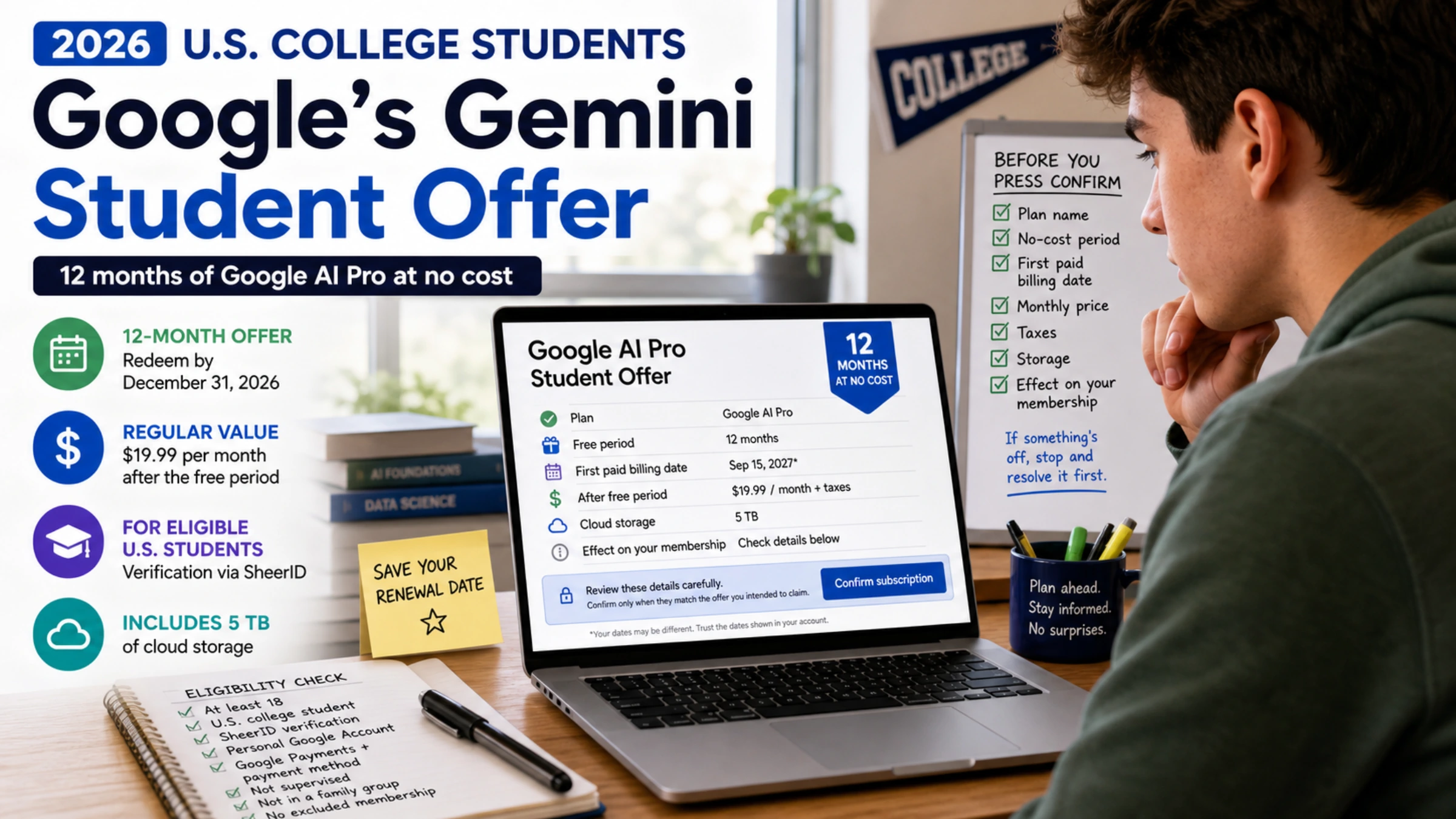
As of August 29, 2026, eligible U.S. college students can claim 12 months of Google AI Pro at no cost. You must redeem the offer by December 31, 2026. Google lists the plan’s regular value at $19.99 per month, but your signed-in checkout screen—not a public article—determines your actual offer, renewal date, and future charge.
The offer is real, but a .edu address alone does not make an account eligible. You need to meet the student requirements, pass verification, subscribe with a personal Google Account, and have an eligible payments setup. If you qualify, start at Google’s official student offer page. Do not enroll from an old promotion link or assume that a different student bundle is the same deal.
The two-minute eligibility check
You are in the intended group for the free U.S. offer only if all of these statements are true:
- You are at least 18.
- You are currently enrolled at a supported U.S. higher-education institution.
- You can complete student verification through SheerID when Google requests it.
- You will subscribe with a personal Google Account, not a school-issued Google Workspace for Education account.
- You have a Google Payments account and a qualifying payment method.
- Your account is not supervised.
- You are not a member of a Google family group.
- You do not have an existing partner-billed, bundled, or other membership that Google excludes from this offer.
Google makes the final eligibility decision. The official offer terms are the controlling source, and an institution, account, membership, or payment method can still fail the live flow even when the checklist looks right.
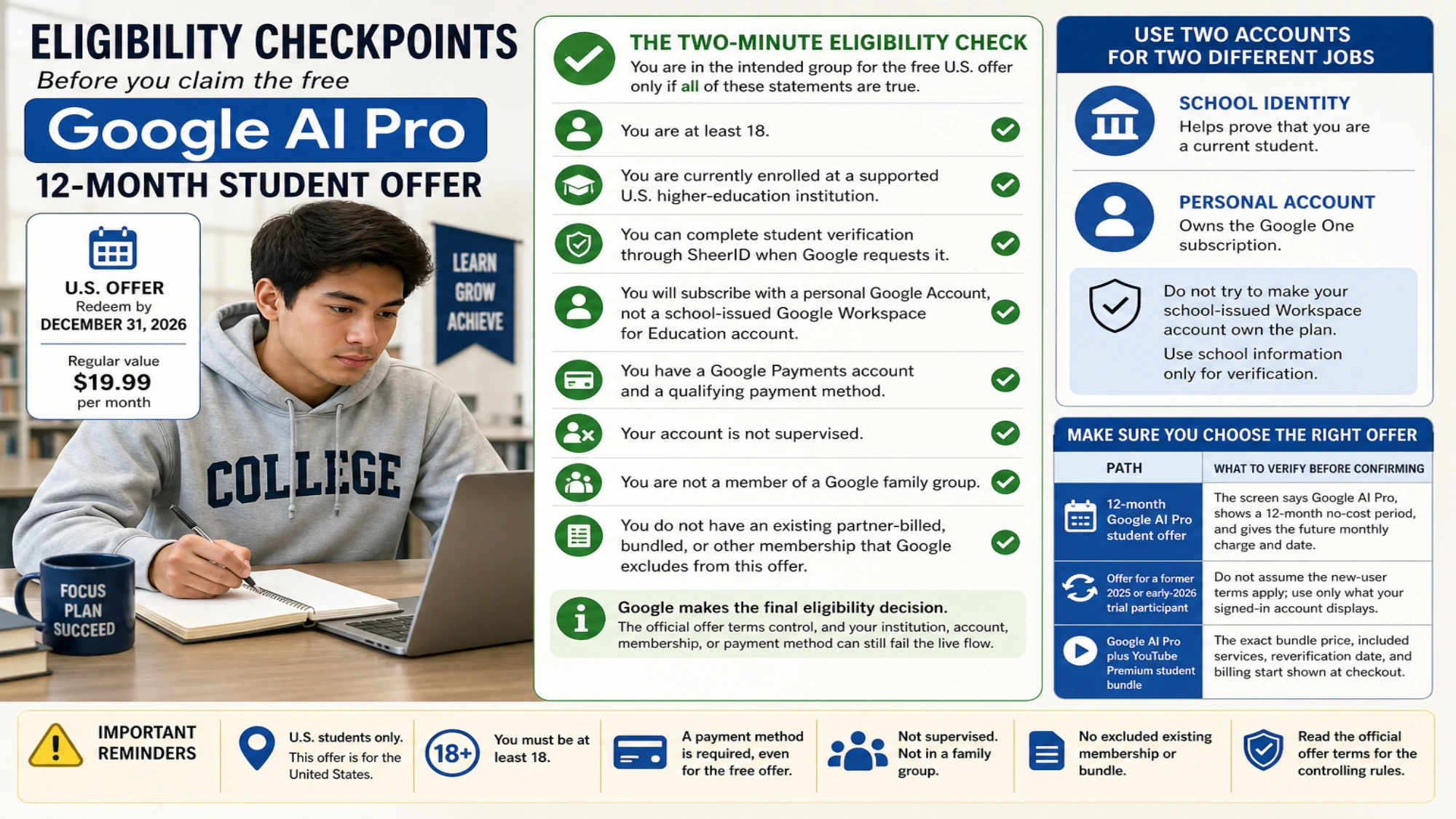
Use two accounts for two different jobs
This is the most common point of confusion:
- Your school identity helps prove that you are a current student.
- Your personal Google Account owns the Google One subscription.
Do not try to make the school-issued Workspace account own the plan. During SheerID verification, use the school information or enrollment documents the verifier requests, while keeping the subscription on your personal account.
Make sure you are choosing the right offer
Google’s student pages can expose more than one route. Their names and terms matter.
| Path | What it is | What to verify before confirming |
|---|---|---|
| 12-month Google AI Pro student offer | The current U.S. free trial described in Google’s August 2026 announcement | The screen says Google AI Pro, shows a 12-month no-cost period, and gives the future monthly charge and date |
| Offer for a former 2025 or early-2026 trial participant | An account-specific transition that may be a new offer or a limited-time discount | Do not assume the new-user terms apply; use only what your signed-in account displays |
| Google AI Pro plus YouTube Premium student bundle | A separate discounted paid bundle, with annual student reverification and availability for up to four consecutive years | The exact bundle price, included services, reverification date, and billing start shown at checkout |
The free Google AI Pro offer does not automatically include YouTube Premium. Google confirms that the bundle is separate, and its exact U.S. price was not visible on the signed-out public pages checked for this guide. Treat any price quoted elsewhere as unconfirmed until it appears in your account.
How to claim the 12-month offer
- Open one.google.com/ai-student.
- Sign in with the personal Google Account that should own the subscription.
- Select the free Google AI Pro student offer—not the separate paid bundle—if both appear.
- Complete SheerID verification. Use your current school details and provide enrollment documents if requested.
- Set up Google Payments and add a qualifying payment method.
- Pause on the final subscription screen. Check the plan name, no-cost period, first paid billing date, monthly renewal price, taxes if shown, storage, and any effect on your existing membership.
- Confirm only when those details match the offer you intended to claim. Save the confirmation and put the renewal date on your calendar.
Google says the 12-month period begins when you redeem the offer, not on a universal semester date. Claiming on September 15, for example, should not be treated as if the offer began on August 19—but the exact end date shown in your account is the date to trust.
If the offer is missing or verification fails
First identify where the process stopped. Sending the issue to the wrong company usually adds delay.
| What you see | Likely owner | Best next action |
|---|---|---|
| School is not listed, student details do not match, documents are rejected, or verification will not complete | SheerID | Recheck your legal name, institution, enrollment status, and document quality; then use SheerID student support |
| SheerID approved you, but the offer is absent or checkout fails | Return to the official student page in the same personal account, then contact Google One support with the verification result and exact error | |
| You are signed into a school Workspace account | Account choice | Sign out and restart with a personal Google Account; use school details only for verification |
| Google says the account is ineligible because of a family group or existing membership | Google account or billing setup | Read the signed-in restriction and Google’s student offer help; do not leave plans or groups until you understand the consequences |
| You had an earlier student trial and see only a discount or different transition | Account-specific offer | Compare the displayed duration and future price with your current plan; public guidance cannot predict which transition your account receives |
| A payment method is rejected | Google Payments or card issuer | Confirm the payment profile and billing details, then contact the party named in the error |
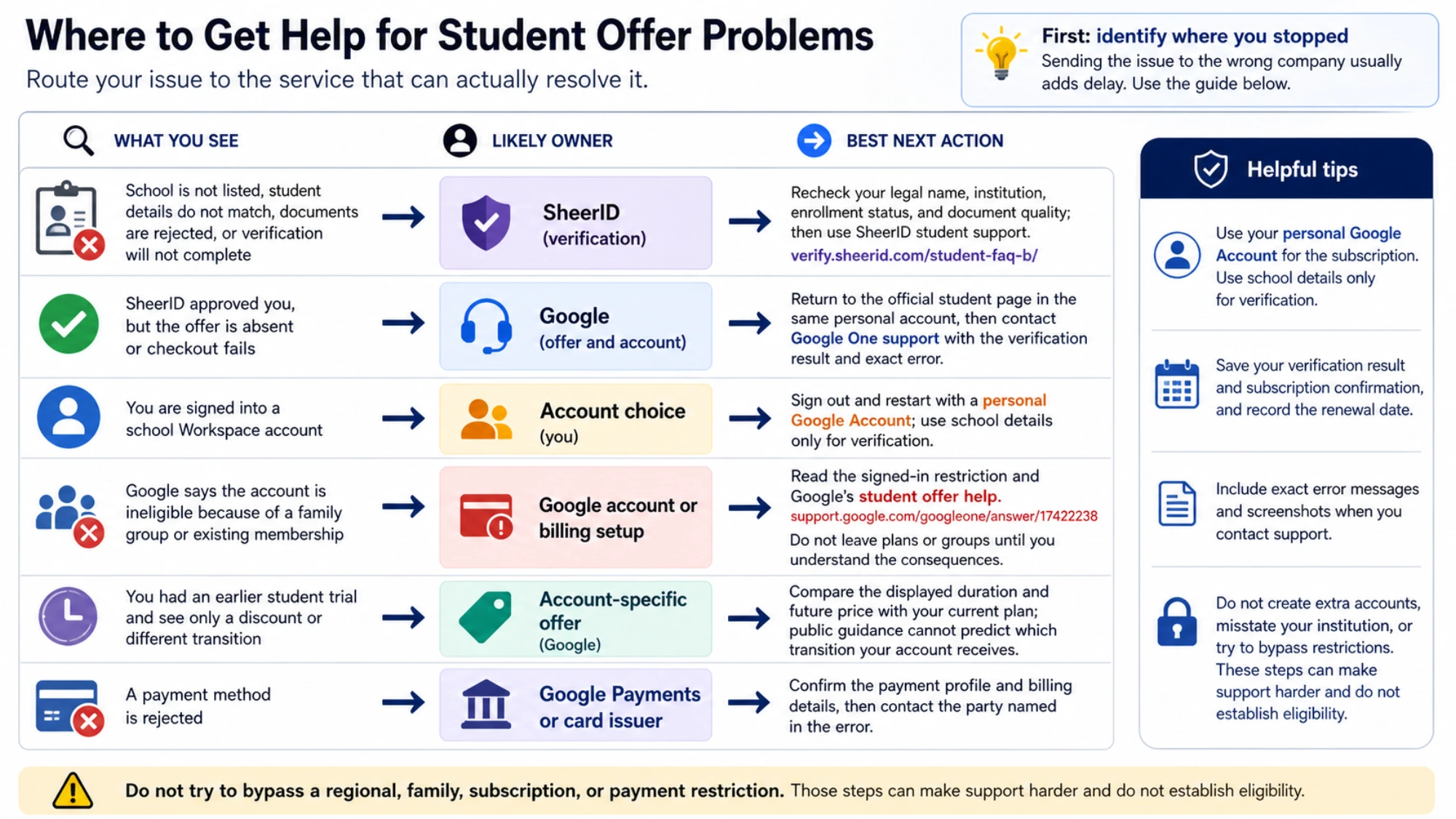
Do not create extra accounts, misstate your institution, or try to bypass a regional, family, subscription, or payment restriction. Those steps can make support harder and do not establish eligibility.
What happens after the free year
Unless you cancel before the offer ends, Google can convert the membership to standard monthly billing. Google’s U.S. announcement lists $19.99 per month as the regular Google AI Pro value, but prices, taxes, consent rules, and the exact renewal date can change or differ by account. Record the number shown on your final subscription screen.
The terms say that canceling during the offer can leave benefits active until the offer period ends. After canceling, immediately check your membership page for the displayed end date and a clear canceled status.
Also check storage before you cancel. This offer includes 5 TB of storage. If your usage later exceeds the storage available to your account, Google warns that new storage activity can be blocked until you delete data or purchase more storage. Review large Drive files, Photos backups, and Gmail usage well before the trial ends rather than discovering the limit on renewal day.
A practical reminder schedule is:
- At redemption: save the confirmation and renewal date.
- 30 days before renewal: decide whether the plan is worth the paid price and review storage usage.
- 7 days before renewal: cancel if you do not want the paid plan, then verify the status in your account.
Quick answers
Is Gemini still free for U.S. students in 2026?
For eligible U.S. college students, Google was offering 12 months of Google AI Pro at no cost as of August 29, 2026. The redemption deadline in the official terms is December 31, 2026. This does not guarantee that a particular student or account will be approved.
Do I need a payment method for a free offer?
Yes. Google’s terms require a Google Payments account and a qualifying payment method because the membership can become paid after the offer period.
Can I subscribe with my school Google account?
No. The subscription requires a personal Google Account. Your school identity or documents are used for student verification; a school-issued Workspace for Education account is not the subscription account.
Does the free year include YouTube Premium?
No. Google AI Pro plus YouTube Premium is a separate discounted student bundle. Confirm its current price and terms in the signed-in checkout flow.
I used a Google student trial before. Can I claim this one?
Possibly, but the result is account-specific. Google’s 2026 help materials describe transition offers for earlier trial users, while public announcements also discuss new offers for previous participants where available. Only the offer shown after you sign in and complete the required checks can answer this for your account.
Before you press confirm
Use the official flow and make the final screen do the proof. It should tell you the exact plan, free period, future price, first billing date, and effect on your current membership. If any of those details are missing or different from what you expected, stop and resolve the mismatch before subscribing.
That five-minute review is more valuable than any generic promise that the student offer “should work.” It turns a broad promotion into a decision based on your actual account.