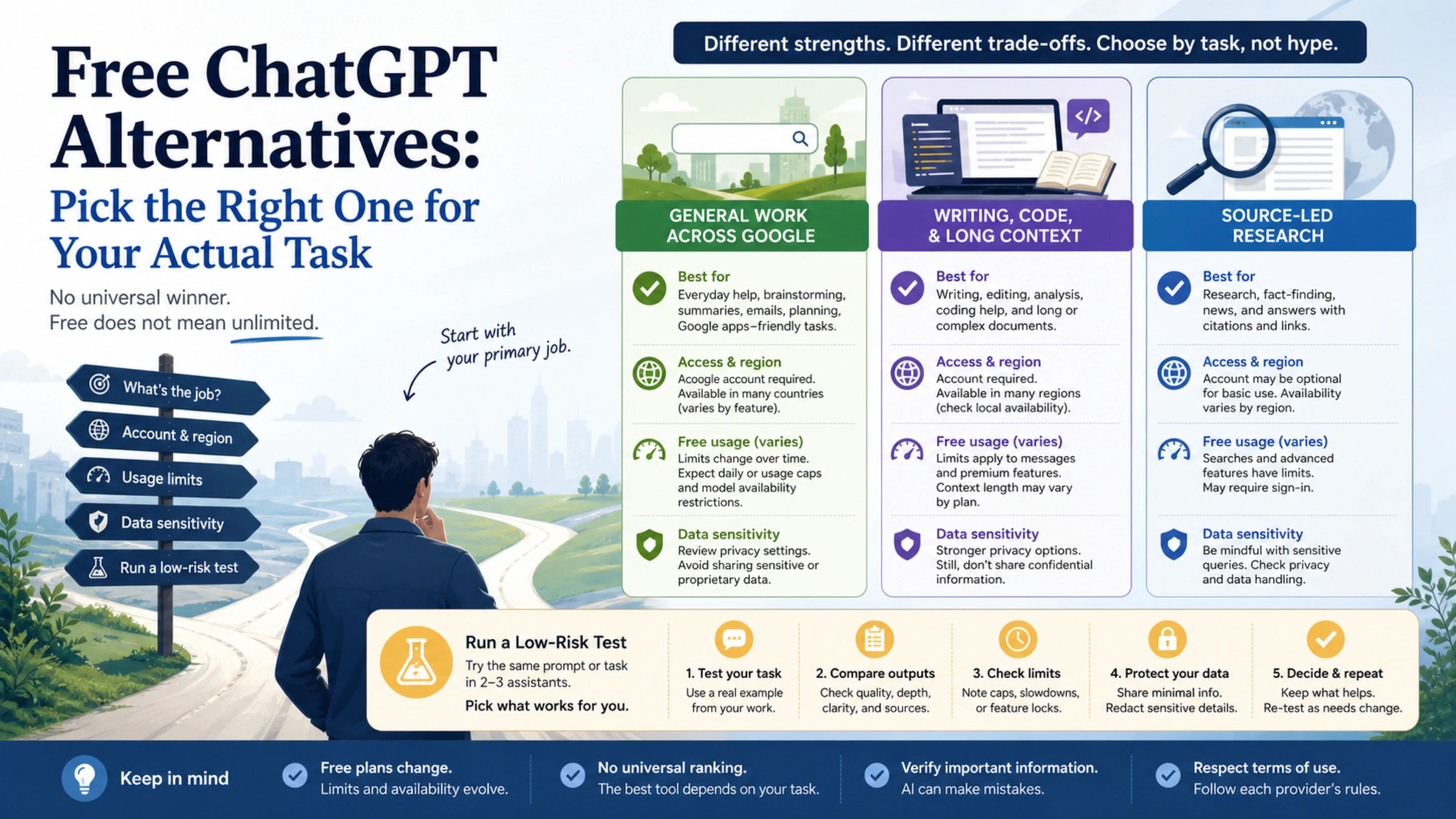
You do not need a single “best” replacement for ChatGPT. You need a free assistant that handles your main job without crossing a limit or data boundary you cannot accept.
For most people, the useful starting shortlist is simple:
- Gemini if your work already revolves around Google’s ecosystem and you want a general-purpose assistant.
- Claude if you primarily draft, revise, analyze files, or work with code and long context.
- Perplexity if your first question is usually “What do current sources say?” and you want a search-centered starting point.
All three have a free route, but free does not mean unlimited. Limits, feature access, account eligibility, and regional availability can change. Pick by task first, then verify the conditions shown in your own account before moving important work.
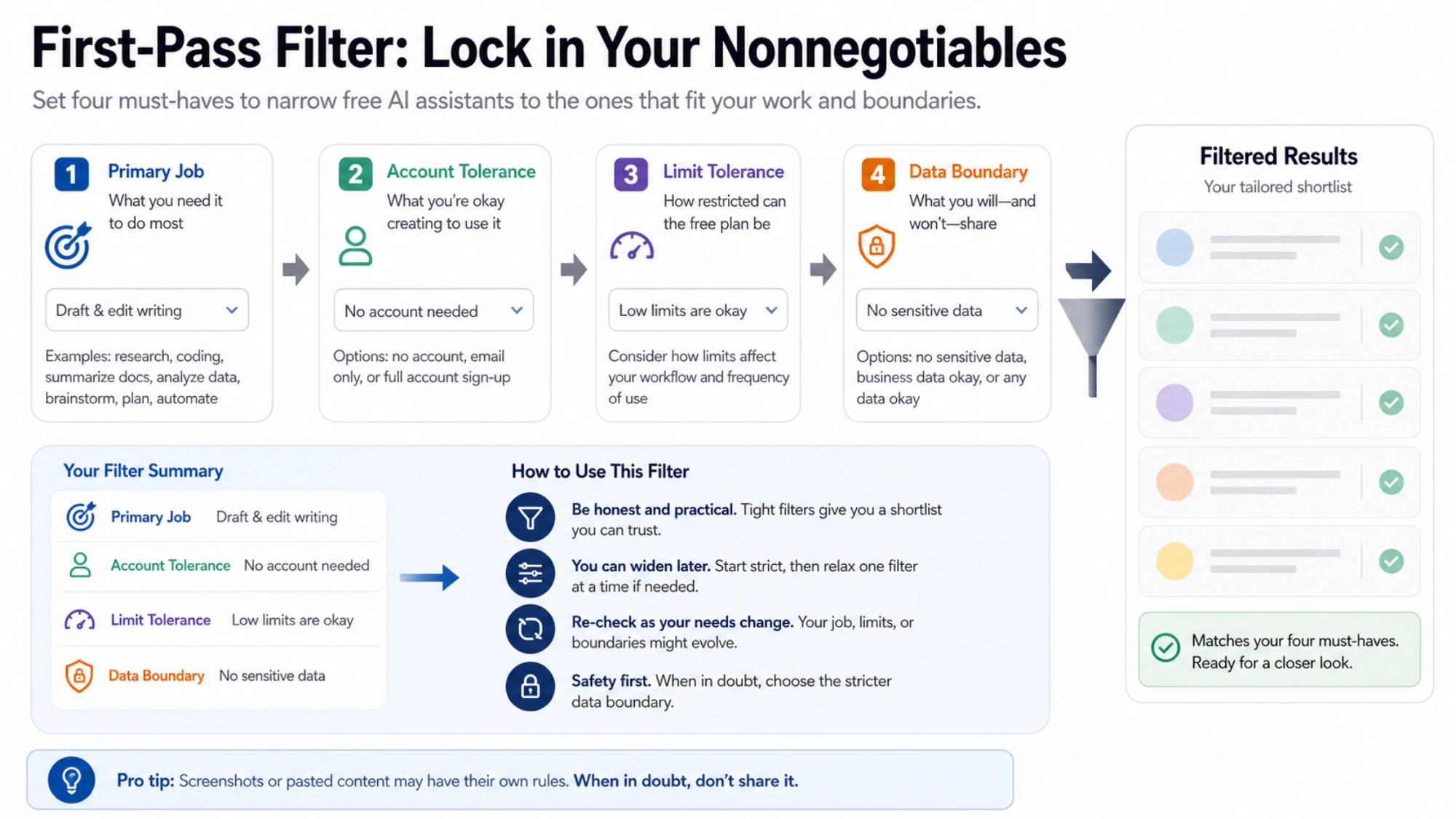
Start with four nonnegotiables
Before opening another chat tab, write down these four answers:
- Primary job: research, writing, coding, file analysis, or general questions.
- Account tolerance: whether you are willing and eligible to create or use the required account.
- Limit tolerance: whether occasional caps or reduced access would interrupt your work.
- Data boundary: whether the task contains personal, confidential, regulated, or client information.
That last answer can eliminate every consumer AI chat for a particular task. A free plan is not worth using if you cannot verify that its current data controls, retention terms, and workplace rules fit the material you intend to share.
A practical three-product shortlist
| If your main job is… | Start with | What the verified free route includes | Boundary to check before relying on it |
|---|---|---|---|
| General assistance in a Google-centered workflow | Gemini | Gemini Apps without a Google AI plan have standard access with usage limits | Limits depend on prompt complexity, the model or feature, and chat length; account, age, region, and feature availability can vary |
| Writing, code, or working across substantial context | Claude | The individual Free plan is listed at $0 and includes chat on web, mobile, and desktop, writing, code, web search, memory, files/code execution, and a 200K context window | Usage limits apply; no stable numeric free-message allowance was published on the checked pricing page, and eligibility may vary |
| Source-led web research | Perplexity | Standard Free includes basic searches, limited advanced search/research access, automatic model selection, and limited uploads | “Practically unlimited” basic search is not a promise of absolute unlimited use; advanced quotas and other conditions can change |
This is a chooser, not a ranking. The right column matters as much as the feature column.
Gemini: a general assistant with variable limits
Gemini is the sensible first test when you want broad assistance and already use a Google account. Google’s current help page says people without a Google AI plan receive standard, compute-based access. It also explains why a fixed “messages per day” number would be misleading: availability can depend on prompt complexity, the model or feature used, and the length of the conversation.
Usage refreshes every five hours until a weekly limit is reached. The no-plan table checked for this guide listed Gemini 3 Flash-Lite, Flash, and Pro with a 32K context window. Those details are current-plan facts, not a guarantee that every account will see every feature.
Choose Gemini when flexibility matters more than a predictable fixed quota. Before committing a workflow, check the model label and limit message in your own session. See Google’s current Gemini Apps limits.
Claude: a strong starting point for drafting and long-context work
Claude’s official pricing page lists an individual Free plan at $0. The checked plan includes web, mobile, and desktop chat; writing; code; web search; memory; files and code execution; and a 200K context window.
That makes Claude an easy candidate for revising a memo, explaining a codebase excerpt, or synthesizing a long document. It does not make the plan unlimited. Anthropic says usage limits apply, and the checked page did not publish one stable numeric message quota for every free user.
Choose Claude when the quality of a writing or analysis session matters more than uninterrupted high-volume use. Confirm what your account allows before planning a deadline around it. See Claude’s current plan comparison.
Perplexity: start here when you need sources, not just an answer
Perplexity is built around search, so it is the most direct first test for a question that depends on current web information. Its Standard Free plan includes basic searches, limited Pro Search and Research access, automatic model selection, and limited uploads.
At the time checked, Perplexity’s own plan comparison showed 3 Pro Searches per day and 1 Research query per month. Treat those figures as changeable plan limits, not permanent allowances. Its description of basic searches as “practically unlimited” should also not be stretched into an absolute unlimited-use promise.
Choose Perplexity when source discovery is the first step. Then open the cited pages yourself: a citation proves that a page was linked, not that the assistant interpreted it correctly. See Perplexity’s current Standard Free details.
What about Copilot, DeepSeek, Meta AI, and no-login chat sites?
They may be valid candidates, but this guide does not treat them as verified recommendations. Their exact free quotas, model routing, eligibility, regional availability, and privacy boundaries were not all confirmed from current first-party material for the US market.
The same caution applies to any site promising “unlimited” or “no login.” Those phrases can hide a temporary trial, a rolling cap, a smaller model, a queue, advertising, or unclear data handling. Do not infer privacy from the absence of a sign-in screen.
If one of these products is important to your decision, verify these items on its official plan, help, region, and privacy pages:
- Is this a free plan or a time-limited free trial?
- Which app and model does the statement cover?
- Is an account required, and are there age or region restrictions?
- Are uploads, web search, image features, or advanced models separately capped?
- Where can you control history or data use, and what happens after deletion?
If the official pages do not answer a condition that matters to you, treat it as unknown rather than filling the gap with a review or forum comment.
Run a 15-minute test before moving real work
Use the same low-risk task in two candidates. A good test is specific enough to expose differences but contains no sensitive information.
For writing
Give each assistant a 250-word public-domain or invented draft. Ask it to cut the length by 30%, preserve three named facts, and explain its most important edit. Check whether the result actually respects all three constraints.
For research
Ask a current, narrow question and require links to primary sources. Open every link, confirm that the page supports the claim, and note whether dates and qualifications survived the summary.
For code
Provide a small reproducible example with a failing test. Ask for the smallest fix and an explanation of the failure. Run the code locally; fluency is not execution proof.
For files
Use a synthetic document, not a contract, medical record, customer export, or unreleased work. Check whether the assistant can find a known fact, distinguish an omission from a contradiction, and cite the relevant section.
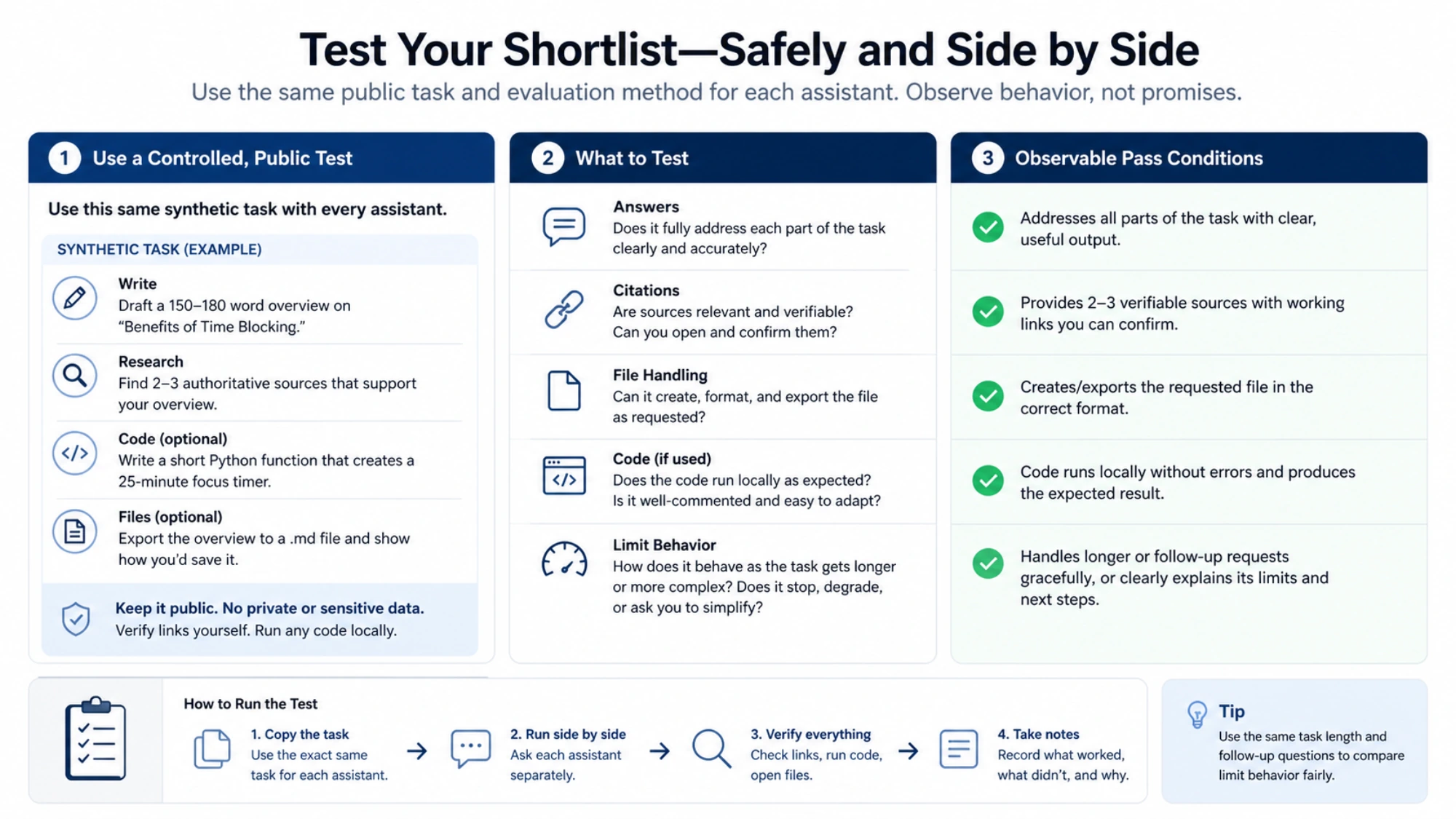
Score the result on five questions:
| Check | Pass condition |
|---|---|
| Task completion | It satisfies every explicit constraint, not just the general topic |
| Verifiability | You can reproduce the code result or open sources that support the answer |
| Limit behavior | You understand what happens when standard access is reduced or capped |
| Account and region | The needed feature is available to your actual account in your location |
| Data fit | The task is allowed by your organization and the product’s current controls |
The best free option for you is the one that passes this test with acceptable friction. If two products pass, keep both: a research-first tool and a writing-first tool often complement each other better than one “replacement” does everything.
A safe way to begin today
- Pick one primary job.
- Open the official plan or limits page linked above.
- Confirm the feature, account, region, and current usage message in your session.
- Run one synthetic or public-information test.
- Keep sensitive data out until you have separately verified the current privacy and workplace requirements.
Start with Gemini for a general Google-centered workflow, Claude for writing or long-context analysis, or Perplexity for source-led research. Then let your own controlled test—not a universal leaderboard—decide whether the free plan is good enough for the work you actually do.