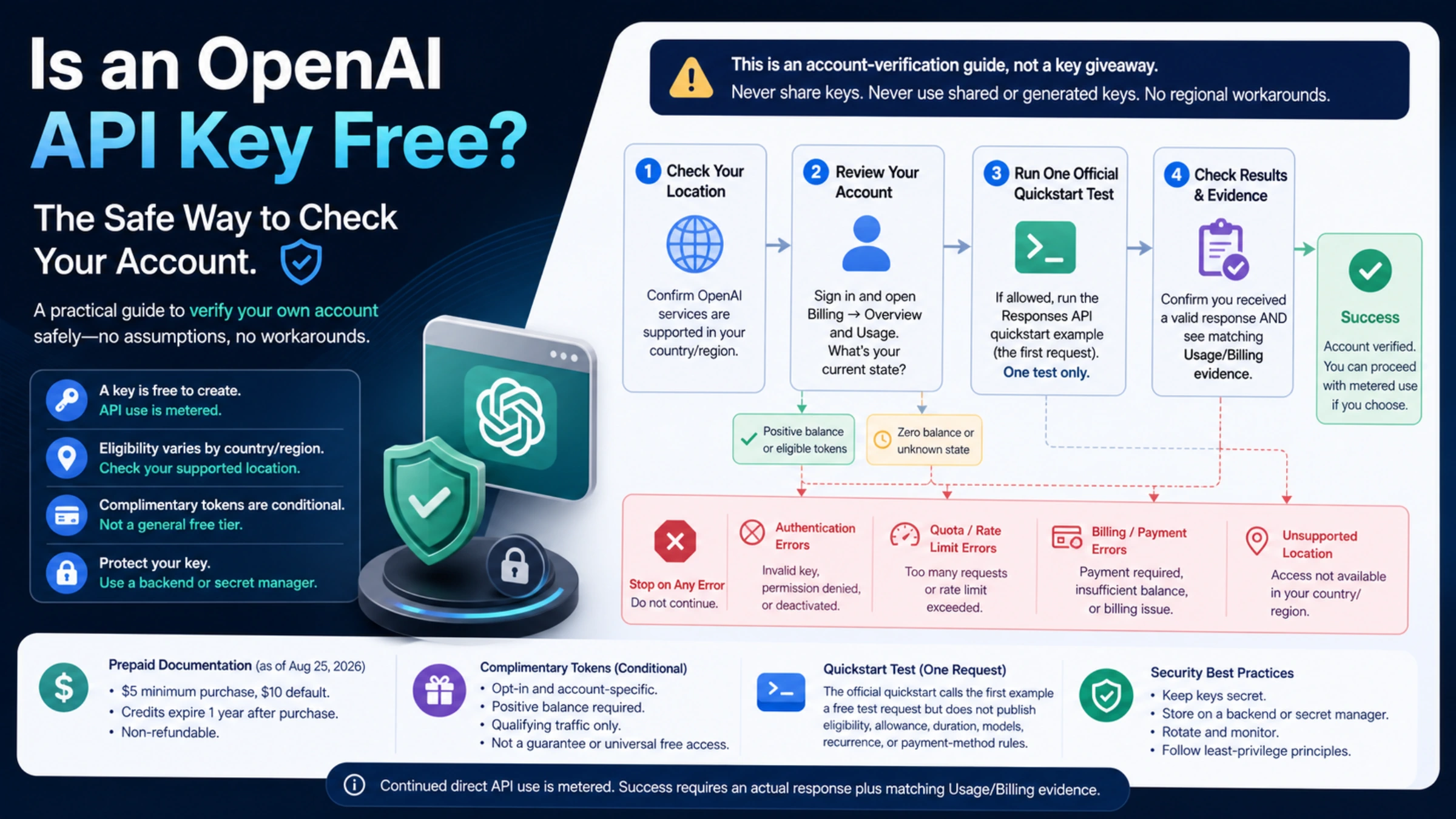
An OpenAI API key is free to create, but the key itself does not include money, credits, or unlimited API access.
As of August 25, 2026, OpenAI's official quickstart describes its first example as a free test API request, then tells developers to add credits to keep building. That is a legitimate zero-payment starting point when it is available to your account. However, OpenAI's public documentation does not promise that every new account receives it, nor does it publish a universal allowance, duration, model list, or recurrence.
The safe answer is therefore conditional:
- If OpenAI supports API access in your actual location, create your own project key and check your authenticated Billing and Usage pages.
- If your account permits the quickstart test, make one small request and verify the result in Usage.
- If the request returns a quota or billing error, stop. Do not hunt for a shared key or try to bypass regional restrictions.
- For continued direct API use, expect metered charges and add credits only after reviewing the current pricing and billing controls.
This guide takes you through that decision without assuming your account has a promotion.
First, separate the key from the credit
Four terms are easy to mix up:
| Term | What it actually means | What it does not prove |
|---|---|---|
| API key | A secret credential that authenticates requests from your project | That the account has spendable quota |
| Free test request | The first test described in OpenAI's current quickstart | A permanent free tier or an allowance for every account |
| Credits | A balance that can fund metered API usage | That creating a key automatically granted credit |
| Usage tier | An account classification used for limits | A cash balance or recurring free credit |
This distinction explains the most common surprise: a newly created key can be perfectly valid while the API request fails because the account has no funded quota.
A five-minute continue-or-stop check
Use this sequence before writing application code or entering payment details.
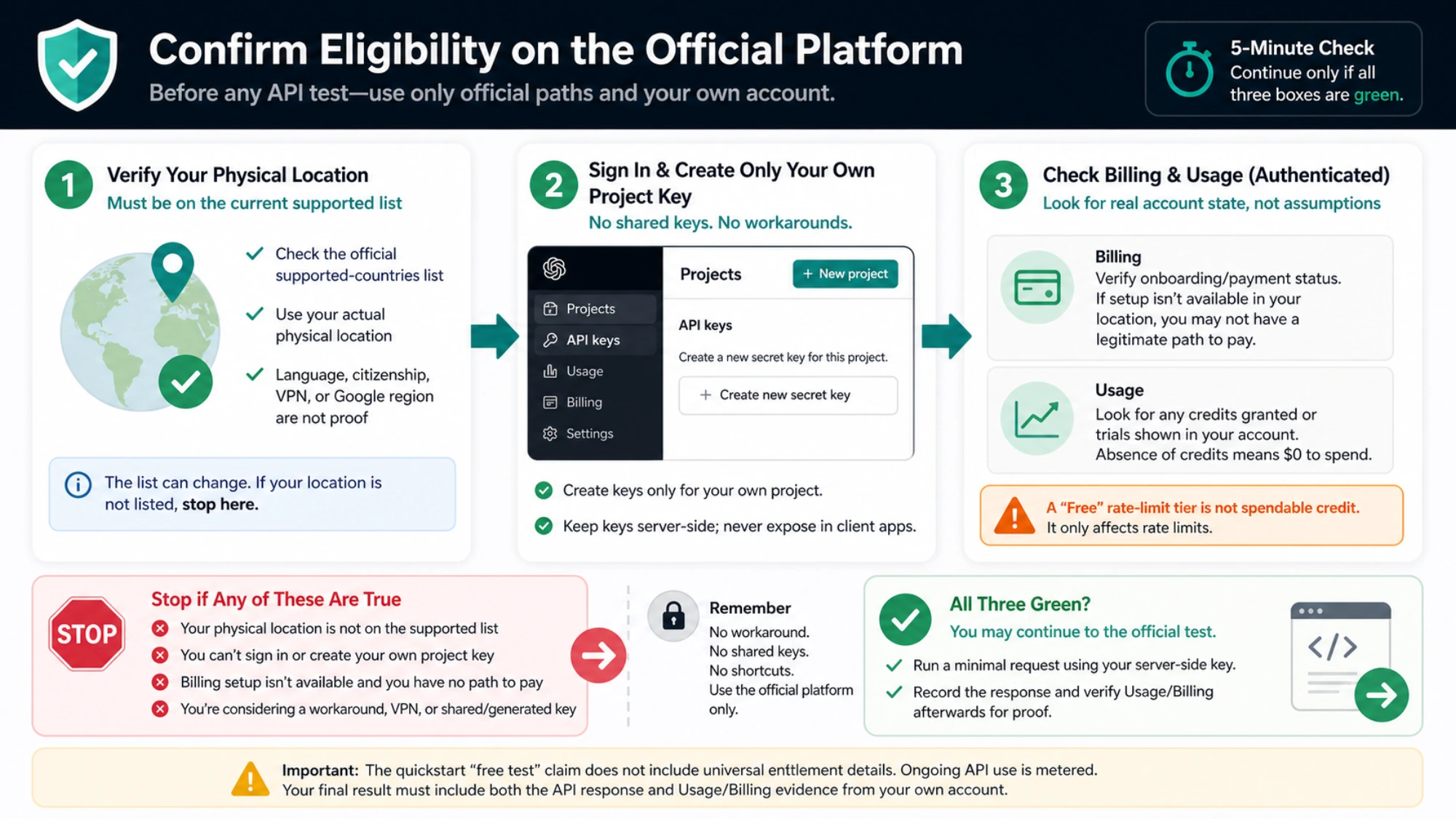
1. Check your actual location
OpenAI says API access is available only in the countries and territories on its supported countries list. The United States appeared on that list when this article was checked on August 25, 2026, but the list can change.
Check the country where you are physically using the service. Your interface language, citizenship, VPN endpoint, or a Google region setting is not proof of eligibility. OpenAI warns that accessing or offering API access outside supported locations may lead to an account being blocked or suspended.
If your location is not listed, stop here. This article does not recommend a workaround.
2. Sign in through the official platform
Go directly to the OpenAI API key page. Create a key for your own project if your account permits it.
The complete secret is shown only when the key is created. Save it in a password manager or secret-management system at that moment. If you lose it, create a replacement; do not paste it into a chat, public issue, browser-side script, or key-checking website.
3. Inspect Billing and Usage before assuming anything
In your authenticated platform account, inspect both Billing and Usage. Look for an existing credit balance, an onboarding prompt, or a requirement to add payment. The dashboard—not a forum post, search result, or this article—is the authoritative answer for your account.
Do not infer spendable credit from a label such as “Free” in a rate-limit table. Rate limits describe how quickly or how much an account may call; they do not fund those calls.
4. Make only the official small test
Follow the current OpenAI developer quickstart. It shows how to set OPENAI_API_KEY, install an official SDK, and make a Responses API request. Use the current model identifier shown there rather than copying an old model name from a blog or forum.
For Node.js, the essential shape is:
jsimport OpenAI from "openai";

const client = new OpenAI(); // Reads OPENAI_API_KEY from the environment

const response = await client.responses.create({
  model: process.env.OPENAI_MODEL,
  input: "Reply with exactly: API test successful",
});

console.log(response.output_text);
Set OPENAI_MODEL to the current quickstart model in your shell. Keep the secret out of the file:
bashexport OPENAI_API_KEY="your-own-key"
export OPENAI_MODEL="current-quickstart-model-id"
npm install openai
node test-openai.mjs
Use a placeholder in documentation and examples—never publish a real secret. For a production application, store the key on your backend in an environment variable or secret manager. Do not ship it in browser JavaScript or a mobile app.
5. Confirm the result in Usage
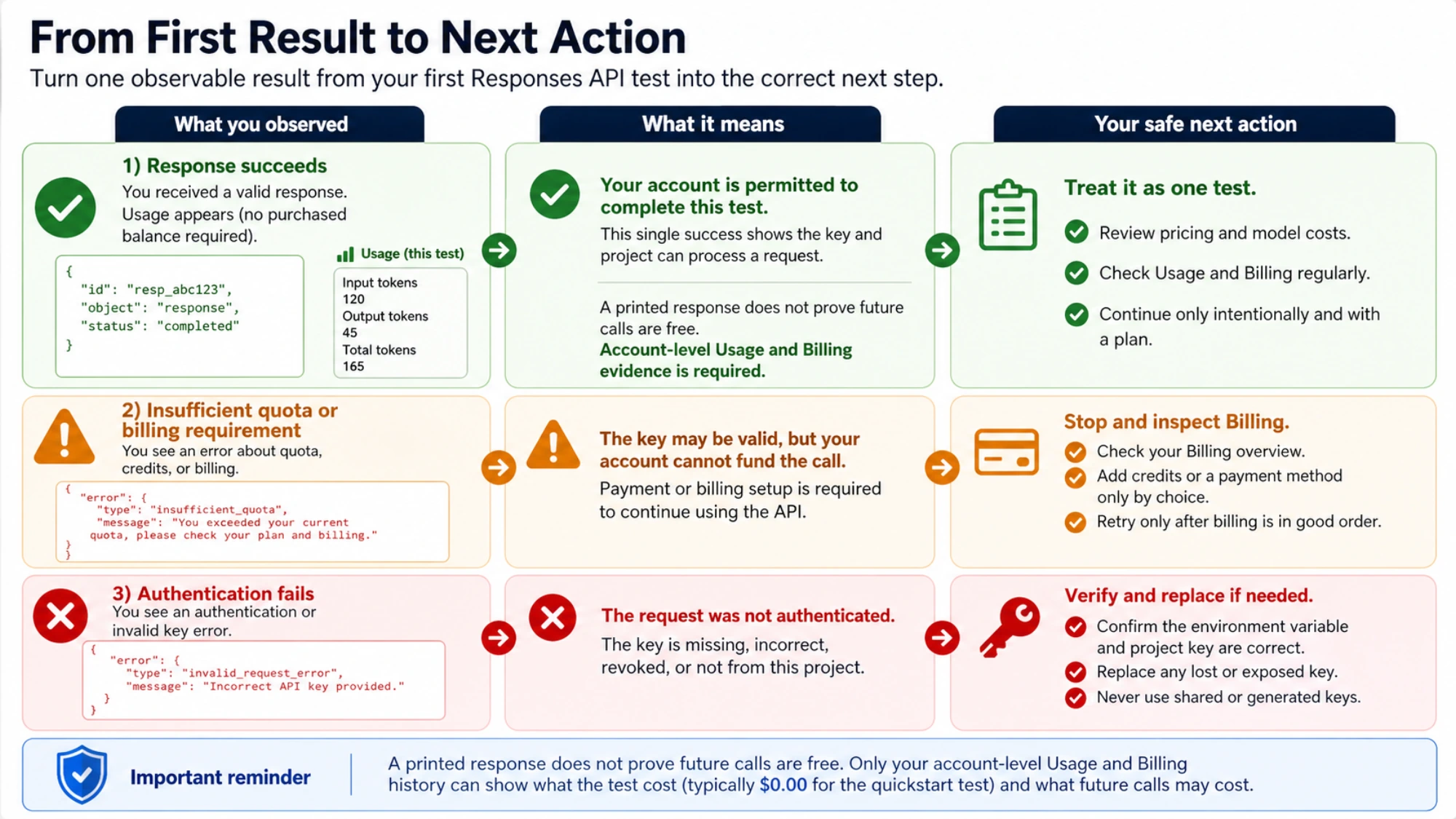
A printed response proves that the request succeeded. It does not prove that future calls are free. Return to Usage and Billing and match the test to the account record.
You now have one of three useful outcomes:
| What you observe | What it means | Safe next action |
|---|---|---|
| The response succeeds and Usage records it without a purchased balance | Your account permitted the current test | Treat it as a test only; review pricing before another request |
| The request reports insufficient quota or a billing requirement | The key may be valid, but the account cannot fund that call | Stop, inspect Billing, and add credits only if you choose paid use |
| Authentication fails | The request did not accept the credential | Check the environment variable and project key; replace a lost or exposed key |
When payment becomes necessary
OpenAI's API pricing page lists usage-based charges for model input, cached input, output, and tools. Prices and available models can change, so use the live page for estimates rather than a copied price table.
OpenAI's current prepaid billing documentation says new API accounts use prepaid billing. When checked on August 25, 2026, it documented a $5 minimum credit purchase and a $10 default. It also said that any free credits already on the account are used before paid credits. That conditional wording does not mean every account receives free credits.
Before purchasing:
- Check the amount offered in your own Billing screen; account and regional conditions may differ.
- Set a small budget appropriate for your test.
- Review auto-recharge rather than accepting a setting you do not understand.
- Create usage alerts and monitor the Usage page.
- Remember that purchased credits expire after one year and are non-refundable under the documented prepaid terms.
Billing records can update with a delay, so leave margin in any hard spending plan. A test that appears inexpensive is not permission to expose a key or run an unbounded loop.
Why shared and “generated” keys are not a free option
Search results and public repositories sometimes promise free, unlimited, or generated OpenAI keys. Do not use them.
OpenAI's key safety guidance says keys must not be shared. A public credential gives you no reliable way to verify:
- who owns the account or authorized your use;
- whether the key is real, funded, stolen, monitored, or already revoked;
- what data the account owner can observe;
- whether another user can exhaust the balance while your application depends on it;
- whether your traffic violates account or service rules.
There is no safe “API key generator.” A legitimate key is created inside an authorized OpenAI project. Random text is not a credential, and a working secret found online is somebody else's secret.
If you have already placed your own key in a repository, client app, screenshot, or public message, revoke it, create a replacement, update the server-side secret, and check Usage for activity you do not recognize.
Keep your own key safe from the first request
The minimum secure setup is simple:
- Keep the key on a backend you control; send application requests to that backend instead of calling OpenAI directly from public client code.
- Read the key from an environment variable or secret-management service.
- Keep
.envfiles and local secret files out of version control. - Use separate project keys where separation helps you rotate or disable access without breaking unrelated applications.
- Monitor Usage and rotate the key after suspected exposure.
- Never ask users to paste their OpenAI key into a site unless they understand and trust that site's data and credential handling.
Deleting a key can break applications that still use it. Rotate deliberately: create and deploy the replacement, confirm the application uses it, and then revoke the old key.
What about complimentary daily tokens?
OpenAI documents a separate program in which some organizations may qualify for complimentary daily tokens for eligible API traffic shared with OpenAI. This is not a universal free tier.
Eligibility must appear in the organization's Data Controls, an organization owner must opt in, the account needs a positive balance, only qualifying models and shared traffic apply, and overages are billed normally. Do not share sensitive, confidential, or proprietary data to chase a discount. Review the current data-sharing program terms before making that separate privacy decision.
Are third-party “free OpenAI APIs” the same thing?
No. A service may offer OpenAI-compatible request syntax, route to other models, pay costs on behalf of users, or make each end user pay through a different account. That can be useful for a different project, but it does not give you your own OpenAI API key.
Evaluate each provider separately for:
- who operates it and which models it actually serves;
- data retention, training, and privacy terms;
- rate limits, uptime, geographic availability, and model changes;
- who pays, what “free” excludes, and whether limits can change;
- how credentials and end-user data are protected.
Do not describe a third-party proxy as direct OpenAI API access merely because its endpoint or SDK is compatible.
Troubleshooting the first call
“Insufficient quota” on a new key
This usually means credential creation and funded usage have been confused. Check the authenticated Billing and Usage pages. A new key does not guarantee a balance, and the public quickstart does not establish a universal free allowance. If the dashboard requires billing, choose whether to purchase credits or stop.
“Rate limit” even though the account says Free
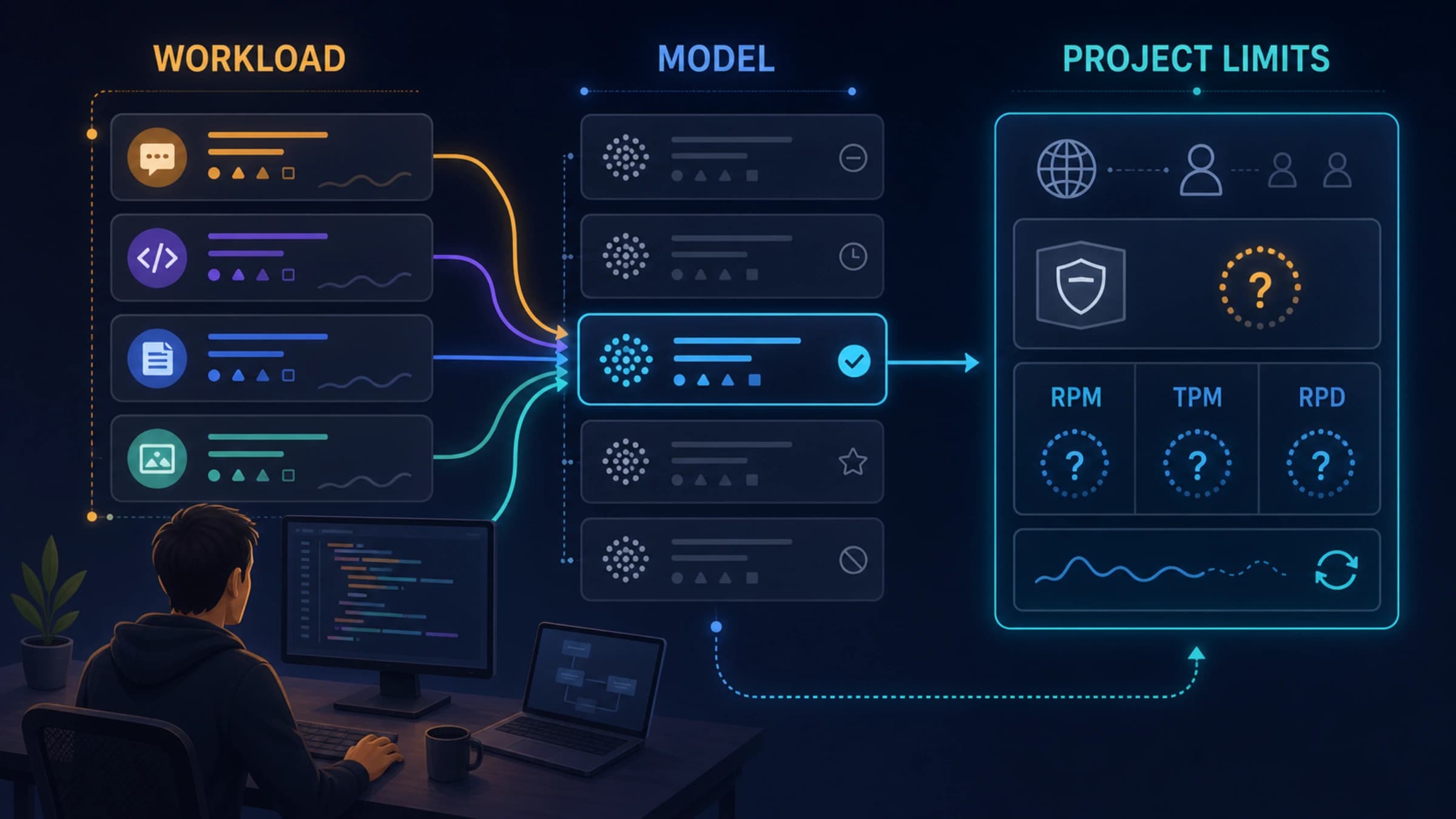
A rate tier is a limit classification, not necessarily a funded balance. Read the full error, check Usage, and follow the current rate-limit guidance. Do not repeatedly retry a request that the account cannot fund.
The key works locally but not in the browser
That is a warning sign, not a reason to expose the key. Browser and mobile code can reveal embedded secrets to users. Put the OpenAI request behind your backend and let the client call your application endpoint.
I lost the full key
OpenAI shows the complete secret only at creation. Create a replacement and remove the lost key from active use. The API key help page explains key management and replacement.
Frequently asked questions
Can I create an OpenAI API key without paying?
You may be able to create your own key before purchasing credits, depending on current account onboarding. Key creation alone does not provide usable quota. Check your authenticated platform account.
Does every new OpenAI account get a free API request?
OpenAI's quickstart described a free test API request when checked on August 25, 2026, but the public page did not promise universal eligibility or define the allowance. Your account's Billing, Usage, and actual quickstart result decide your case.
Is the ChatGPT free plan the same as free API credit?
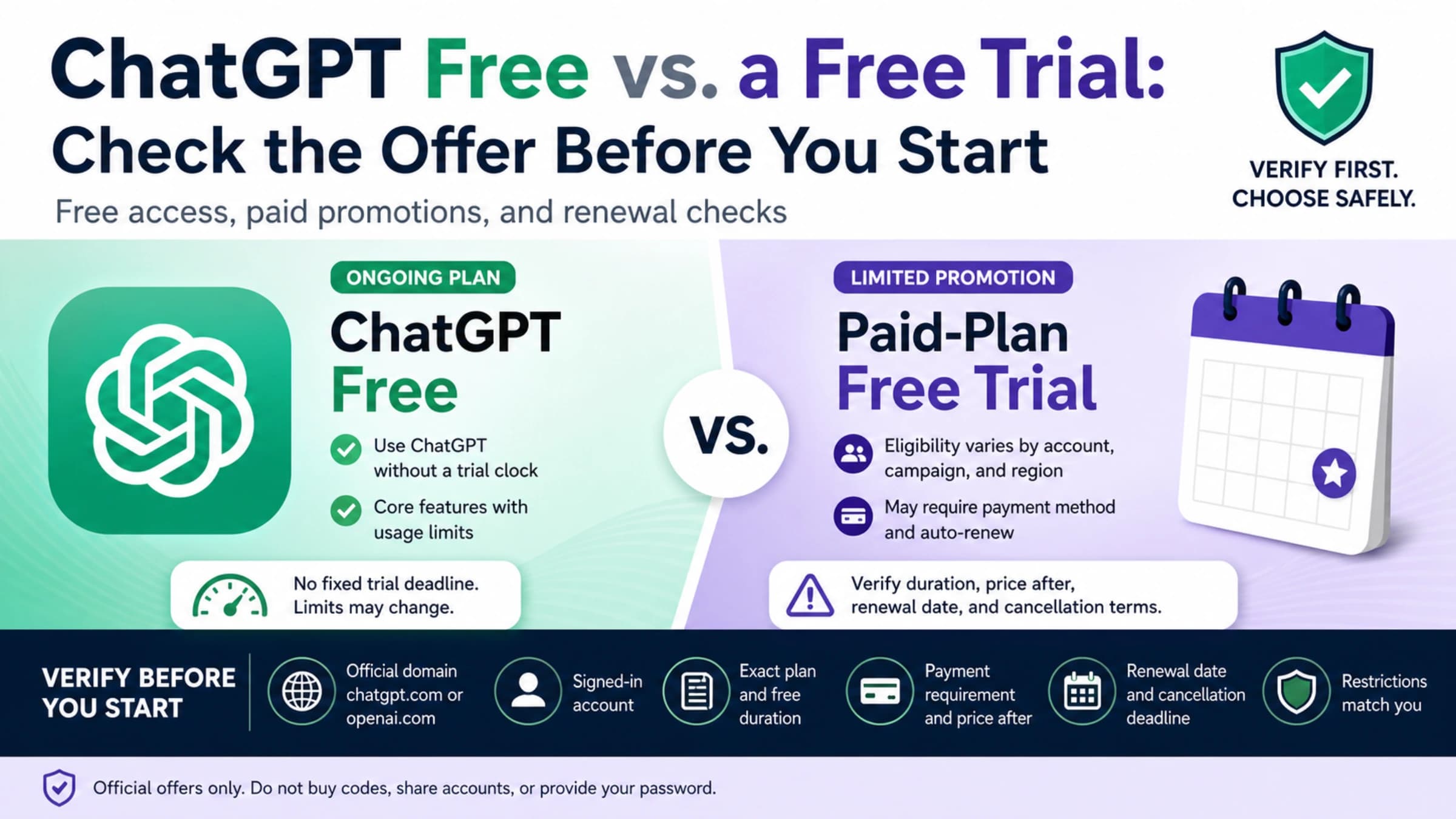
No. ChatGPT access and API billing are separate products. A ChatGPT plan does not by itself establish an API credit balance.
Is there a free OpenAI API key for students?
Do not assume there is a universal student entitlement unless current official terms or your account explicitly show one. School programs and third-party offers require their own eligibility, privacy, and billing checks.
Can I use a key from GitHub for testing?
No. OpenAI says keys must not be shared. Use a key created in your own authorized project, even for a one-request test.
Is $5 always the amount I must pay first?
The OpenAI prepaid-billing help page documented a $5 minimum and $10 default when checked on August 25, 2026. Verify the amount and terms shown in your own Billing flow before paying; currencies, taxes, payment methods, and account conditions can differ.
The safe stopping point
You have completed the free-start check when you can answer three questions with account-level evidence:
- Is OpenAI API access supported where I am actually located?
- Does my own account permit the official test request right now?
- Does Usage show what happened, and do I understand the price before continuing?
If all three answers are clear, you can make an informed choice about paid development. If any answer is unclear, stop at the dashboard and resolve it through current OpenAI documentation or account support. A public key, a generator, or an “unlimited” promise cannot safely fill that gap.