The best Codex extension is the smallest one that measurably improves a task you repeat. Start with no extension. Add a Skill when the task needs reusable instructions or scripts. Choose a Plugin when you need an installable bundle or several capabilities together. Add a connector backed by an MCP server only when Codex must read from or act in another system. Keep a companion tool when the main job happens outside Codex.
That is the short answer to “best Codex plugins and skills.” A universal top-ten list cannot account for your Codex surface, repository, workspace policy, authentication, or source-system access. A catalog listing also does not prove that an extension is maintained or useful for your task.
This guide was checked on August 15, 2026. It focuses on the choice you can make from public evidence; verify availability in your own Codex surface before relying on any item.
First choose the extension type, not the brand
“Plugin,” “Skill,” and “tool” are often used as if they mean the same thing. They do not. OpenAI’s current documentation defines a Skill as a reusable, task-specific workflow centered on a SKILL.md file, with optional scripts, references, assets, and metadata. A Plugin is an installable bundle that can contain Skills, connectors, or both; connectors are backed by MCP servers and may include a custom interface.
| Candidate route | Best fit | Setup and permission burden | Choose it when | Skip it when |
|---|---|---|---|---|
| No extension | One-off work or a job Codex already handles well | None beyond the current session and repository access | A clear prompt produces a reliable result without repeated setup | You keep restating the same constraints or rebuilding the same checks |
| Local or repository Skill | Repeatable instructions, review rules, generation steps, or deterministic scripts | Low to moderate; you still review files and any included code | The workflow belongs to you or one repository and should stay close to the work | The task needs live access to an external service |
| Plugin | An installable package of related Skills, connectors, or both | Moderate; varies with the components included | A maintained bundle matches both the workflow and your Codex surface | One small local Skill would solve the job, or your surface does not support Plugins |
| Connector or MCP server | Reading current external data or taking actions in another service | Usually highest; authentication and source-system permissions matter | The task cannot finish with repository files and public information alone | A read-only export, manual handoff, or local script is sufficient |
| Companion tool | A specialized UI, browser, design, observability, or deployment job outside the core Codex loop | Varies by product and integration | Its native interface is the place where the work is best inspected or completed | Calling it from Codex adds indirection without reducing work |
These five routes solve materially different problems; they are not brands competing in one category. Because a Plugin can bundle Skills and connectors, ranking every component as an interchangeable product produces a misleading winner.
Start small, then escalate only when the job requires it
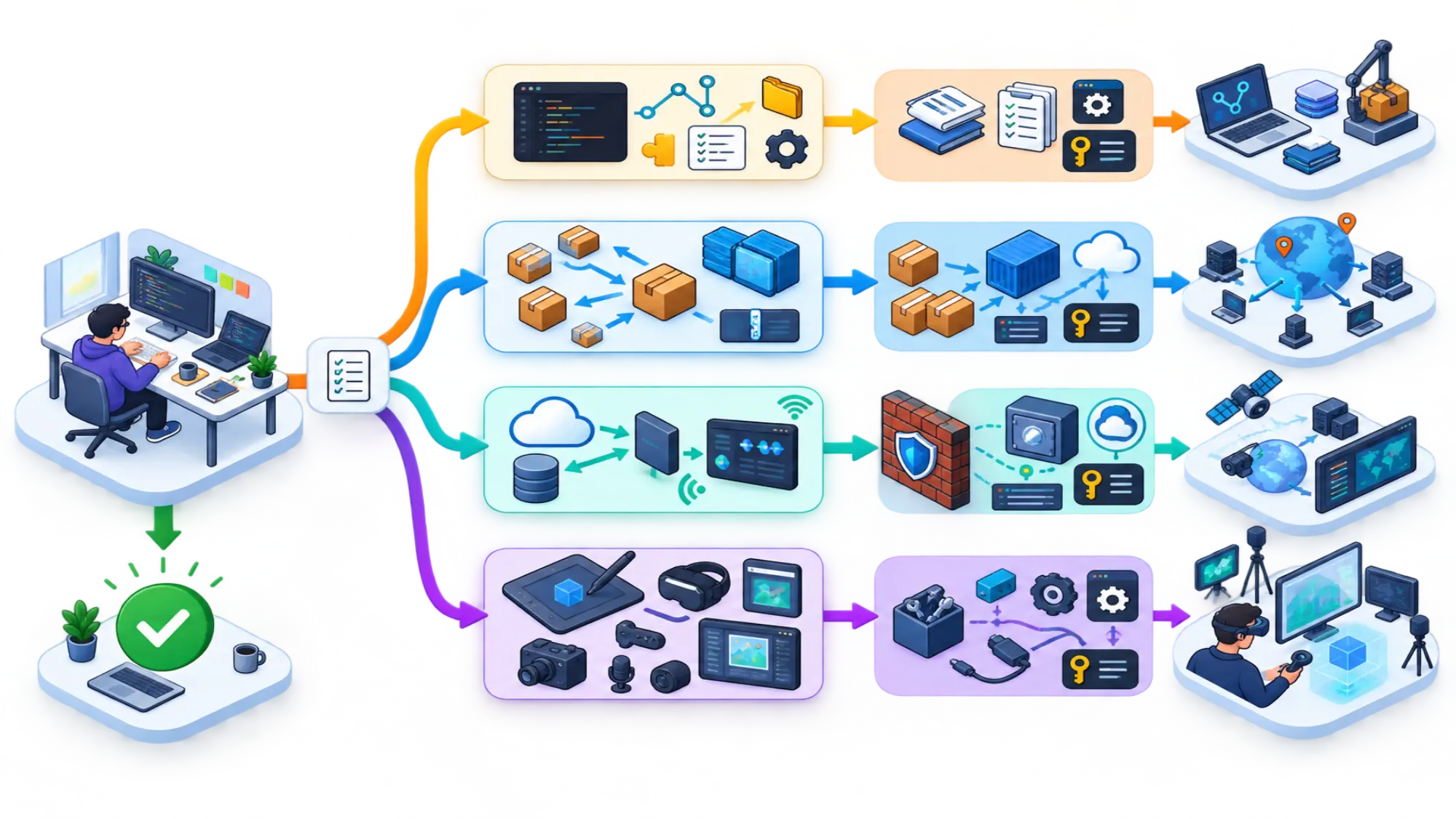
For a typical developer or content team, test the routes in this order:
- No extension. Prove that a recurring problem exists before adding another dependency.
- One repository-scoped Skill. Capture the instructions, references, and checks that you repeat in the same codebase.
- A maintained Plugin. Move here when an installable bundle of Skills or connectors matches the recurring job.
- A connector or MCP server. Add external access only when the result truly depends on current data or actions outside the repository.
- A companion tool. Keep it separate when its own interface is better suited to the job.
This is a default order, not a quality leaderboard. Move down it only when the previous route cannot complete the recurring job. That keeps the number of moving parts, permission surface, and loaded context proportional to the benefit.
Best first choice for repository rules: a local Skill
Choose a Skill when you repeatedly tell Codex how your repository works: which checks to run, which files are authoritative, how to format a deliverable, or when to stop. A Skill can keep those instructions beside supporting scripts and reference material. That makes the workflow inspectable and versionable without requiring access to a third-party system.
A good Skill has a narrow trigger and a testable outcome. “Review React changes against this repository’s performance rules and report actionable findings” is a better job than “make code better.” The former tells you whether the Skill helped; the latter can silently expand scope.
Codex can invoke a Skill explicitly or select it when the task matches the Skill description. Because a Skill may include scripts and supporting files, read the package before trusting it: verify its trigger, writable scope, commands, external dependencies, and stop condition.
Best choice for sharing a workflow: a Plugin
Choose a Plugin when installation and bundling are part of the problem. A team may want one unit that carries several Skills, a connector, or both. That is different from copying one local instruction folder between repositories.
Plugins are currently surface-sensitive. OpenAI documents /plugins for Codex CLI and says the Codex IDE extension does not support Plugins. If your daily work happens in the IDE extension, a Plugin-first recommendation is incomplete even when the listing itself looks relevant. Check the supported surface before evaluating features.
Do not assume that every Plugin includes every component. Inspect what the package actually contains, who maintains it, which permissions it requests, and whether its setup path matches the surface you use.
Best choice for live systems: a connector or MCP capability
A connector or MCP server becomes valuable when the task needs facts or actions that do not live in the current repository: searching a knowledge base, reading an issue tracker, querying analytics, or preparing an action in another service. The benefit is access to current context. The cost is a wider trust boundary.
Before connecting one, write down the minimum capability the workflow needs:
- Which system must Codex access?
- Is read-only access enough?
- Which records, projects, or folders belong in scope?
- Does the action require user confirmation?
- What happens if the remote result is incomplete or stale?
Running a Plugin capability through Codex does not bypass the source system. The Codex host still applies its sandbox and approval policy, while the external service keeps its own authentication and access controls. That is why a public article cannot guarantee what will appear or work in your account.
Best choice for a specialized interface: a companion tool
Not every useful product needs to become a Codex extension. A visual editor, browser inspector, monitoring console, or deployment dashboard may be easier to understand in its native interface. Codex can still prepare files, explain a result, or hand off a bounded action without turning the entire product into a Plugin.
Prefer a companion tool when the interface carries essential visual or operational context, or when direct integration would require broad permissions for a small convenience. Integration is valuable only if it removes a repeated handoff without obscuring what changed.
Use official examples to identify a job, not crown a winner
OpenAI’s Plugin documentation currently names Codex Security, Gmail, Google Drive, and Slack as examples. They are useful because they expose two different reasons to extend Codex: authorized code scanning, or access to information and actions held by another service. They are not an official “best plugins” ranking, and their appearance in documentation does not confirm availability for every account or workspace.
Ask what the example teaches you about your own job:
| Example in OpenAI documentation | Capability to evaluate | Question before choosing it |
|---|---|---|
| Codex Security | Authorized code-scanning workflow | Does this workflow need that scanning capability, and can you verify its supported surface and scope? |
| Gmail, Google Drive, or Slack | Work with an external service | Which data must Codex access, is read-only enough, and does your account expose the required connection? |
This deliberately short table is not a substitute for the live catalog. It is a category check. Revisit the current official listing in your own Codex environment before treating any example as installable or enabled.
Match the smallest route to the recurring job
The fastest way to choose is to begin with the work, not the catalog.
| Recurring job | Smallest justified route | What success looks like | Main risk to check |
|---|---|---|---|
| Enforce repository-specific review rules | Local Skill | The same checks run consistently and produce bounded findings | Hidden or overbroad instructions |
| Create the same artifact with references and scripts | Local Skill | Inputs and output format are repeatable | Stale references or unsafe bundled code |
| Distribute a standard workflow across projects | Plugin | One maintained package replaces manual copying | Version ownership and surface support |
| Combine several Skills with external access | Plugin containing the required components | One installation exposes a coherent workflow | Bundled permissions exceed the actual need |
| Read current data from a business system | Connector backed by an MCP server | The answer cites the right live source under scoped access | Authentication, data exposure, and stale results |
| Perform an external write | Connector or MCP capability with confirmation | The user can preview and approve the exact action | Unintended changes or excessive action scope |
| Handle a one-time task | No extension | The task finishes without reusable setup | Solving an imagined recurring problem |
Suppose you repeatedly publish articles from one repository. The editorial rules, file checks, and output structure belong in a Skill. A live CMS connection is a separate decision: add it only if publishing from Codex is authorized and saves a real repeated handoff. If publication must remain a human-controlled step, the Skill should stop at a verified local artifact.
For a team-wide code-review process, start with one repository Skill until the checks stabilize. Package it as a Plugin when multiple projects need the same versioned workflow. If the review also needs issue-tracker context, evaluate a narrowly scoped connector as an additional component rather than treating external access as the default.
Verify seven things before you install
A useful shortlist can be small: one candidate extension plus the option to install nothing. For each candidate, answer these questions from current, direct sources.
- Owner: Who publishes and maintains it? Is the source repository or official listing unambiguous?
- Job: What recurring task does it complete better than Codex without the extension?
- Surface: Does it work in the Codex CLI, the IDE extension, or another surface you actually use?
- Install route: Is the documented route current, and does the item appear in your own catalog or environment?
- Contents: Is it a Skill, a Plugin bundle, an MCP server, a connector, or a separate tool? Which scripts and files will run?
- Permissions: What data can it read, and what actions can it take? Can you reduce the scope or use read-only access?
- Maintenance and proof: When was it updated, what evidence supports its benefit, and can you reproduce that benefit on one representative task?
Stop if the owner is unclear, the source is unavailable for review, the documentation targets an unsupported surface, or the requested access is larger than the job. Treat old installation posts carefully: an old command or repository cannot establish current support on its own.
Run a ten-minute test against no extension
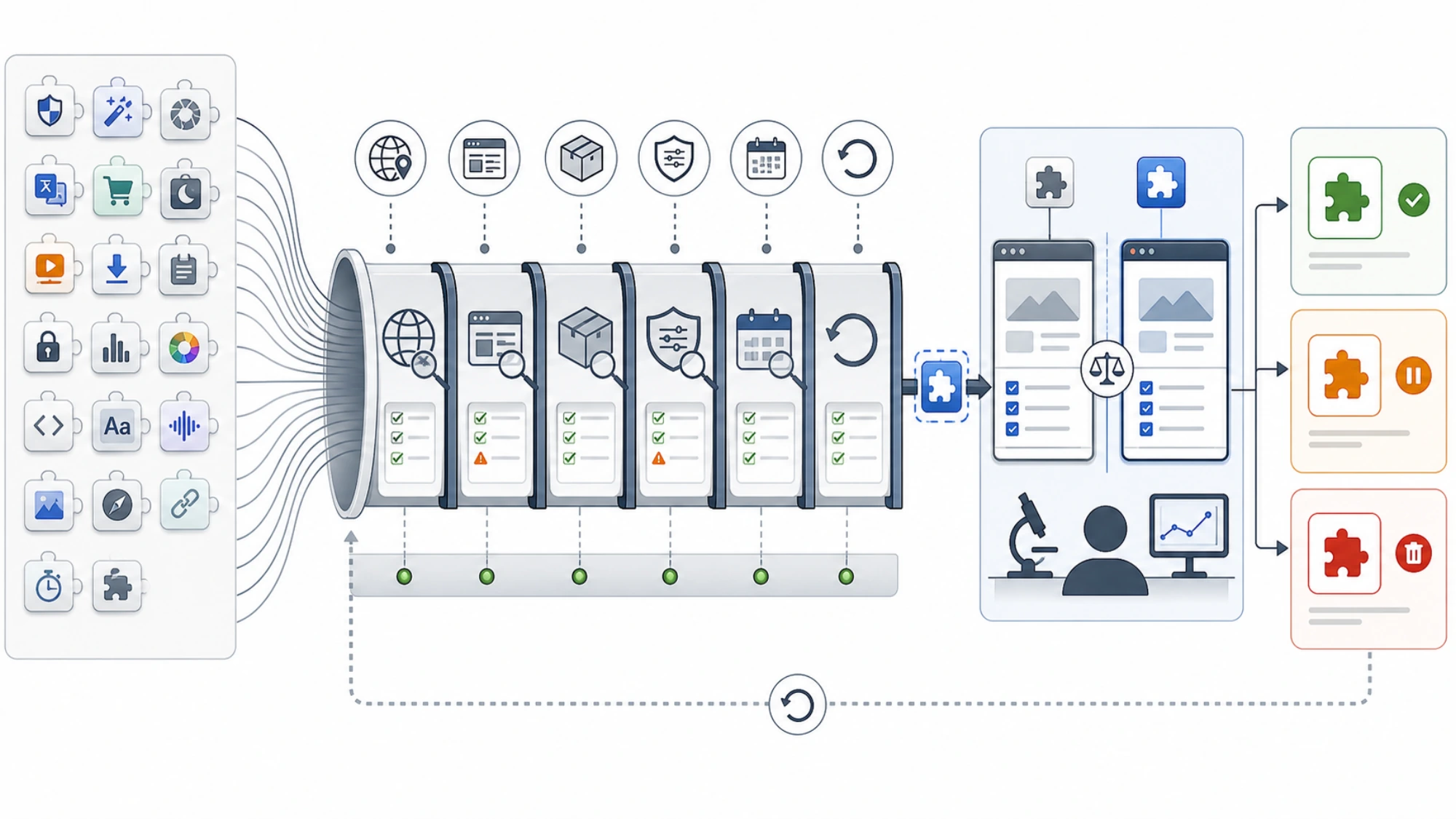
You do not need a large benchmark to avoid a blind install. Use one task that genuinely recurs, preserve the input and acceptance criteria, and compare the candidate against the no-extension baseline.
Use the ten minutes as a controlled execution window, not a promise that every installation takes ten minutes:
- Minutes 0–2: capture the baseline. Save the exact task, inputs, acceptance criteria, and current no-extension result.
- Minutes 2–7: run one candidate. Keep the task, repository state, model, and approval policy unchanged where possible. Record any setup that falls outside the timed run.
- Minutes 7–10: compare and decide. Check the same acceptance criteria, count material corrections, note added waiting or context, and list every new access path.
Record four things:
- Completion: Did the result satisfy the same acceptance criteria?
- Correction effort: What did you still have to fix or explain?
- Overhead: How much setup, context, and waiting did the extension add?
- Exposure: Which new files, credentials, services, or write actions entered scope?
Keep the candidate only if completion stays equal or improves, correction effort falls, and the saved effort justifies the added setup and exposure. One clean success does not establish universal superiority, but it can justify a bounded trial in your workflow. If the result is no better—or the access cost is disproportionate—remove the extension or keep it disabled until the need is clearer.
This approach also separates claims. Official documentation can establish component definitions and surface support. A maintainer can describe intended behavior. Community reports can reveal possible trade-offs. Only your controlled task can show whether the candidate improves your work under your constraints.
Treat discovery and approval as separate decisions
Discovery is only the first step. OpenAI documents a shared public Plugin catalog and Plugin support in the ChatGPT desktop app and Codex CLI, but not in the Codex IDE extension. Installed bundled capabilities become available in a new chat or CLI session. Recheck the live documentation and your own environment because catalog contents, supported surfaces, and account availability can change.
Then pause before enabling anything:
- Open the current listing or maintainer source.
- Read the included instructions and inspect bundled scripts or executable code.
- Confirm the supported Codex surface and required plan or workspace settings.
- Review authentication, app permissions, and source-system access.
- Start with the narrowest scope and a non-destructive representative task.
- Keep external writes behind an explicit confirmation step.
An item appearing in discovery is not approval to connect it, run its scripts, or grant access. Workspace controls and organizational policy still apply.
The short answer for four common readers
I keep repeating the same prompt in one repository. Build or adopt one narrow Skill. Keep its instructions and supporting files reviewable beside the work.
My team needs the same workflow in many projects. Evaluate a maintained Plugin that packages the needed Skills. Verify that everyone uses a supported surface before standardizing on it.
Codex needs live data or must act in another product. Evaluate the narrowest connector or MCP capability that can complete the task. Treat authentication and permissions as part of the product decision, not setup trivia.
I just want the “best” productivity setup. Install nothing yet. Identify one recurring failure, define success, and test the smallest candidate that addresses it. A shorter setup you understand is better than a popular stack with overlapping instructions and unexplained access.
There is no verified universal best Codex Plugin or Skill set. There is a defensible selection rule: start with the recurring job, choose the lightest extension type that can finish it, verify current support and source, grant the minimum permissions, and keep it only if a reproducible task gets better.